Group Visual
This page is used to define group–sub-element relationships.
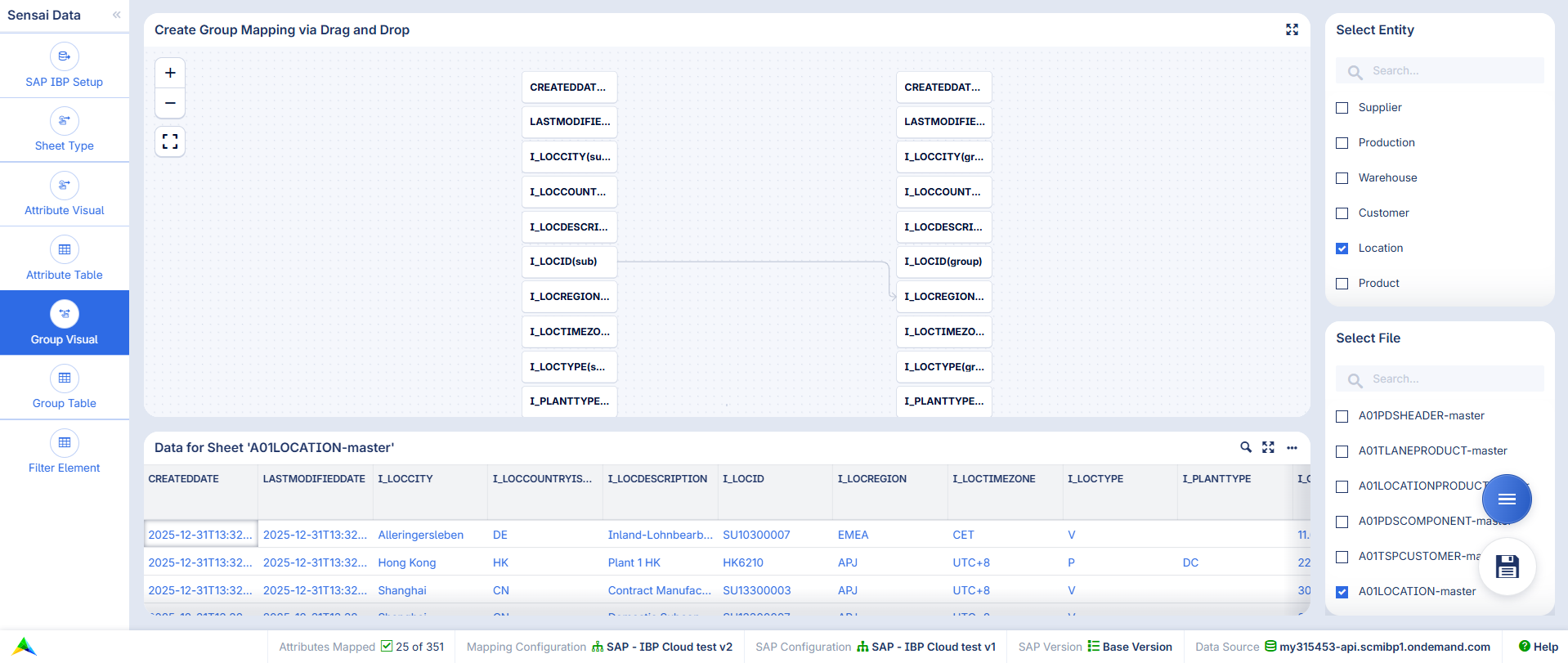
On the right-hand side, the Select Entity widget is used to choose the data type for which grouping should be defined. Below, the Select File widget is used to select the file to which the configuration applies. The data of the selected file is displayed in the Data for Sheet … widget.
In the center, the Create Group Mapping via Drag and Drop widget is used to define the mapping by drawing edges. The elements in the left column represent the sub-elements, while the elements in the right column represent the group level.
The right-click menu of the drawn edges provides the following options:
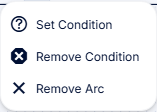
Remove Arc: Removes the selected arc.
Set Condition: Defines a condition so that the element–group relationship is only applied to pairs that satisfy the specified condition. This uses the same Condition on Column and Value mechanism as described in Arc Actions. For grouping, only this type of condition is available.
Remove Condition: Removes the defined condition.